

When summer rolls around and burns away the last hazy mornings of spring, things can get a little hot. You don’t have to live in the desert of Arizona to experience heat waves, high humidity, and an unrelenting sun threatening your backyard garden and plastic toys.
Longer days mean more energy for creative inspiration. However, using your laser engraving machine can get a little rough. Hotter temps mean your ventilation, workspace comfort, and electronics are at risk. There has to be a way to keep your area relaxing and cool enough so your laser engraver can generate all kinds of wonderful designs.
The best way to get consistent performance is to control the temperature. Here are some tips to ensure you get that space and never interrupt your projects during a hotter summer.
How Summer Heat Affects Your Laser Engraver
Every laser engraving machine, regardless of brand or design, relies on electronics, motors, and control systems around the optical components. When they operate outside a certain range, they begin to break down. That results in lower design efficiency, increased wear, heat buildup, and a higher likelihood of dust accumulating and sticking to various surfaces.
As your hobby turns into a passion, you’ll meet other creators who like to use outbuildings, garages, and barns for their makerspace. These areas tend not to have central air conditioning or adequate ventilation. The good news is, with a few tips and tricks, you can easily fix the situation.

The Fume Problem No One Talks About
As you run a laser across acrylic, metal, cloth, wood, and leather, it does produce smoke and fumes. The first tip is to select materials that don’t produce chemical fumes, but there are other concerns you have to check for during your sessions.
The concentrated light energy of a laser engraver will create heat. It works by removing material from the item you’re engraving. Those tiny particles are byproducts that generate smoke, fine dust, odors, VOCs (volatile organic compounds), and airborne particulates. In most cases, it’s safe, but without ventilation, those byproducts stick around longer.
Why Summer Makes It Worse
During the hot days of the summer, the airflow is different. Windows remain closed for AC usage, and you spend more time indoors to avoid the extreme heat, insects, or humidity. When a home is more “sealed” in the summer, ventilation is reduced.
Poor ventilation around a laser engraver can be hazardous to your health, especially if you’re working with a young child or a senior citizen. Eyes can get irritated. Your throat can feel scratchy, and you can get headaches from unpleasant odors. That is why it’s so important to follow any manufacturer recommendations when working with a laser engraving machine.

Solving the Fume Problem with the Mecpow P50
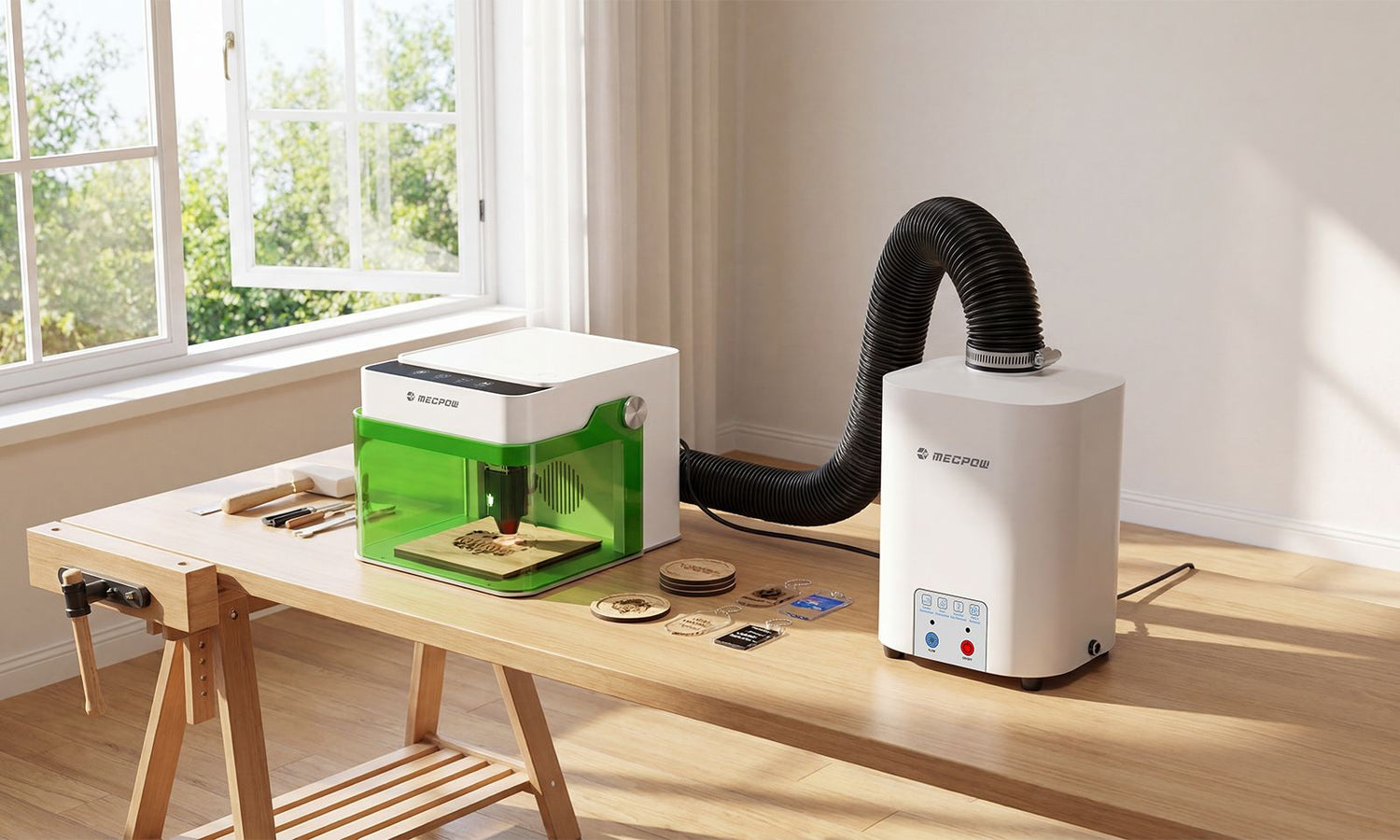
A great way to make the entire argument over laser fume extraction easier is to purchase the Mecpow P50. This is a powerful fume extractor that connects directly to some of the best Mecpow engravers, like the M1.
The P50 combines 50W of strong suction power with a 3-layer filtration system that removes up to 99.97% of smoke and other airborne debris. It has an advanced sealed design for your safety. It operates at a low noise level of under 55dB to keep everyone else in your home or workspace happy.

What the P50 Does
The P50 removes smoke, odors, and airborne particulates generated each time you engrave a personalized coaster or leather keychain. All those contaminants that would float around your workspace, trapped by the AC, end up in the filtration system, keeping you safer and breathing easier.
The P50 is designed to work alongside the Mecpow M1. It connects to the back of the M1, keeping your workspace safe and fresh at all times while preventing smoke leakage. You can still have proper ventilation, but with a lot less risk of breathing in something you’d rather avoid.
The other benefit is that the P50 isn’t susceptible to wind direction shifts from an open window or when the humidity level increases before a heavy thunderstorm. It is a dedicated device that captures, filters, and protects you from contaminants at the source.

Keeping the Mecpow M1 Running Cool in Summer
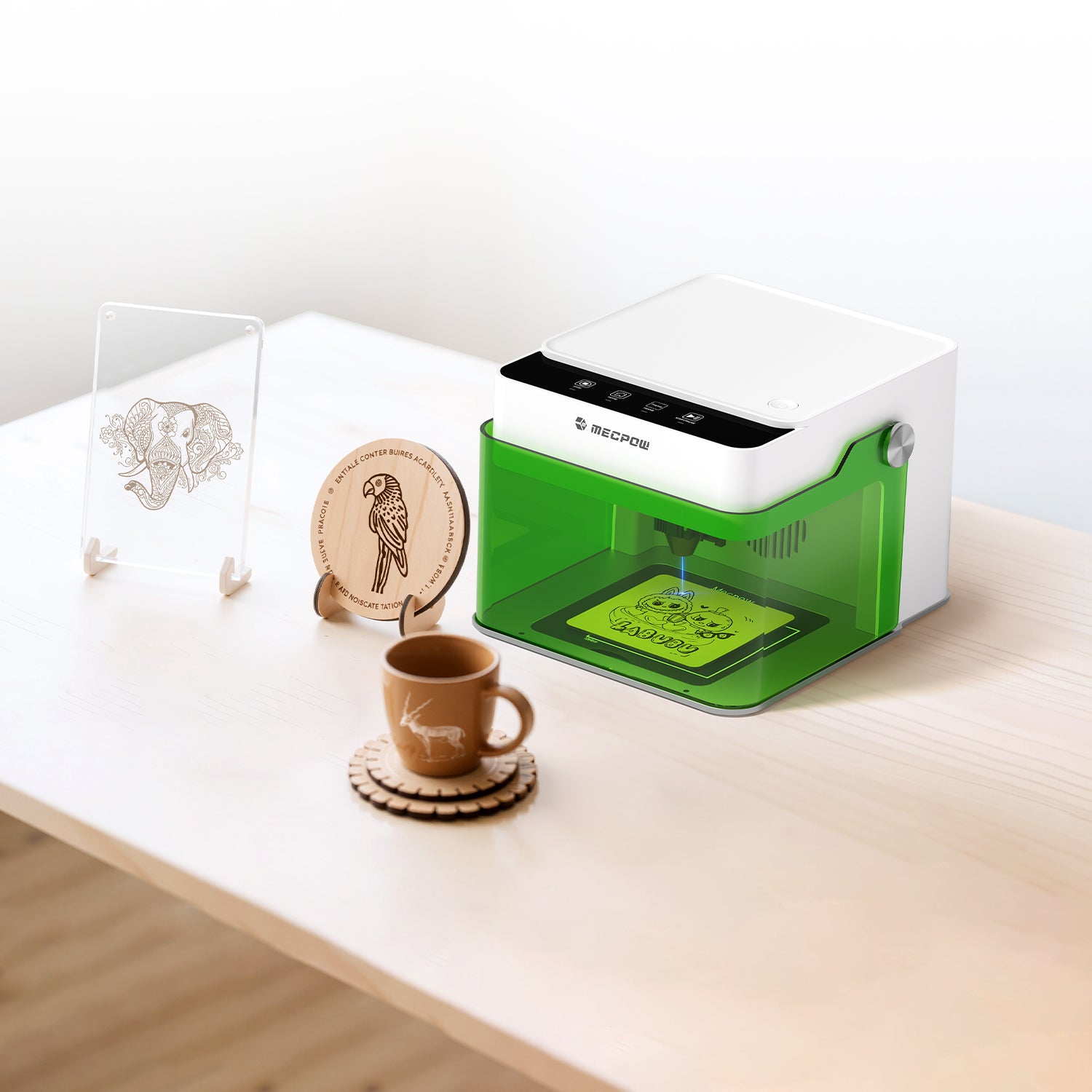
As for the beginner-friendly Mecpow M1 laser engraver, it is already designed to be mobile and compact. All it takes is a little summer maintenance to reduce the worry about overheating or damage to your various project materials.
Start by ensuring your workspace isn’t in direct sunlight or near any windows that have strong afternoon exposure. You don’t want to stick the device in an enclosed cabinet. It needs a shaded workspace with strong, consistent airflow.
The M1 has an optional 3.5W or 5W diode laser, allowing you to work with well over 300 different materials. To help cut down on heat, try not to run any longer engraving jobs during the hottest part of the day. Stick to the early morning or late evening, and always around an AC unit.

Keep the M1 clean from summer dust and secure it on a flat, even surface. Wipe down any exterior surfaces to keep your work area clean as well. The summer is a great time to replace any home vents before you start a new project.
The M1 also comes with FDA Class 1 safety certification for the protective enclosure design. It has a compact footprint and an easy-to-use operating design that ensures you will be safe and have fun with all kinds of creations. Pick up the P50, and you won’t be limited to your workshop during a heat wave or the shed in an afternoon storm.
Quick Summer Laser Safety Checklist
- Always double-check that your workspace is out of direct sunlight
- Keep the room ventilated with good AC airflow when possible
- Clean the laser engraving machine and the surrounding workspace from dust
- Use only the materials approved for engraving to reduce risk
- Schedule long jobs during cooler hours
- Monitor the room temperature in outbuildings
- Get the P50 laser fume extractor as another layer of safety
Ready for a Productive Summer of Laser Engraving?
Summer should be a season when you can let down your guard and open up all your creativity. The more you can manage heat to your device and workspace, the safer and more comfortable you’ll be designing stunning gifts, new side hustle products, and personalized items you’ll cherish for years to come.
FAQs
Can summer heat damage a laser engraver?
Yes. Excessive heat on the device can strain its normal operation. Over time, that can damage the electronics and make breathing much harder due to fumes.
Is opening a window enough for laser safety?
Having a window open during your project helps, but you have to worry a little about wind and if it’ll get too hot in the space. A dedicated fume extraction system is much better when you want to be indoors for long periods.
What materials create the most smoke during engraving?
The material can vary significantly in terms of fumes, smoke, and odors. Try to stick to natural products that don’t have coatings or chemical infusions. That is the safety for engraving.


Leave a comment
This site is protected by hCaptcha and the hCaptcha Privacy Policy and Terms of Service apply.