

Buying a laser engraver opens the door to endless creative possibilities. From personalized gifts and home decor to small business products and DIY projects, modern laser machines can engrave and cut an impressive variety of materials.
However, one of the biggest misconceptions among beginners is that every material is suitable for laser processing. In reality, every laser engraving machine has its limits. Some materials simply won't cut well, while others can permanently damage your machine—or even release toxic fumes that pose serious health risks.
Knowing which laser cutting material is safe to use is just as important as choosing the right engraving settings. A successful project isn't only about achieving clean cuts or detailed engravings. It's also about protecting your equipment, maintaining consistent performance, and creating a safe workspace.
With that in mind, we’ll break down the ideal materials for modern diode laser engravers, flag materials you should avoid at all costs, and explain how the Mecpow laser engraver expands your creative possibilities with advanced features designed for both beginners and experienced makers.
The Hard Truth: Limitations of a Standard Laser Engraving Machine
Every laser machine comes with unique strengths and limitations. Recognising these before you begin any project helps you avoid wasted time, unnecessary costs and frustrating errors.
Most entry-level laser engravers adopt diode laser technology. They perform excellently on organic materials and can cut thin sheets of wood, leather, acrylic, paper and fabric. Affordable and low-maintenance, they are an ideal choice for home workshops. Nevertheless, no diode laser can handle all materials with equal effectiveness.
The key limitations of diode laser engravers are summarised below:
Material Compatibility Varies Greatly
Different materials absorb laser energy at different rates. Dark timber, leather and cardboard efficiently absorb laser light, making them great for engraving. By contrast, reflective metals and transparent plastics tend to reflect or disperse laser beams, resulting in poor cutting and engraving results.
Cutting Performance Limited by Material Thickness
Many users expect lasers to cut thick boards in one single pass, yet cutting capacity relies on laser power, material density, air assist and cutting speed. Hardwood demands higher power than softwood, and thick materials usually require multiple passes to achieve smooth, clean cut edges.
Engraving & Cutting: Two Distinct Processes
A common misunderstanding is equating laser engraving with laser cutting. Engraving only removes the surface layer to create patterns, logos or text. Cutting requires sufficient concentrated energy to penetrate the full depth of the material. A device delivering exquisite engraving results may lack the capability to cut thick materials efficiently.
Potential Safety Risks from Unsuitable Materials
This point is frequently ignored by new users. Some plastics produce corrosive fumes or toxic substances under laser heat. Others melt rather than vaporise, leaving sticky deposits on lenses and machine components. Even materials labelled simply as “plastic” may contain unknown additives that render them unsafe for laser processing.
For this reason, seasoned makers never judge whether a material is laser-safe merely by its appearance. Before placing a material in the laser machine, its exact composition must be confirmed to ensure safe and efficient engraving and cutting results.
Exploring the Ideal Laser Cutting Material List for Safe Crafting
Selecting the ideal material for laser cutting is the simplest way to boost project quality while extending your machine’s service life. Materials compatible with diode lasers deliver cleaner cuts, crisper engraving details, and leave fewer residues on the laser lens, lowering long-term maintenance requirements.
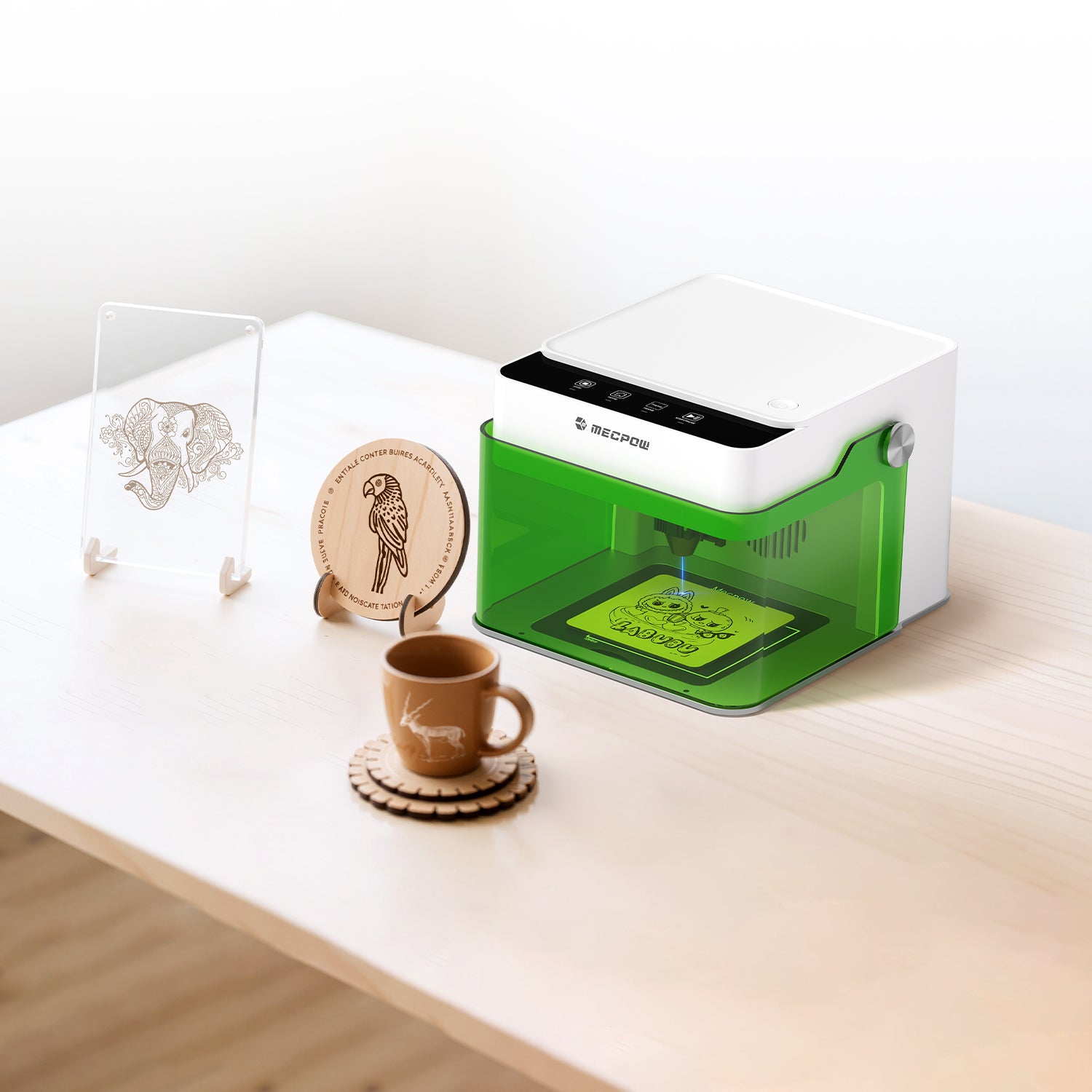
The Mecpow laser engraver works with an extensive selection of commonly used craft materials, catering to hobbyists, educators, and small business operators. Below are some optimal materials ideal for beginners to get started.
Wood & Bamboo
Wood is hands-down the most popular material for laser cutting and engraving. It’s user-friendly, readily available, and delivers spectacular finished results.
Best Choices: Pine, plywood, birch, maple, cherry, walnut, and bamboo.
Thickness Limits: With a 5W diode laser like the Mecpow M1, you can comfortably cut through 3mm plywood and 5mm pine wood.
Pro Tip: Laser performance varies across different wood varieties. Hardwoods (e.g., walnut) yield darker, sharper engravings, whereas softwoods (such as pine) create lighter and rustic-style markings.
Leather & Fabric
Natural leather and numerous fabrics are fantastic options for personalized creations—ideal for keychains, wallets, tags, and patches.
Safety Check: Use only genuine vegetable-tanned leather. Steer clear of synthetic leather or chrome-tanned leather, as these may emit hazardous fumes.
Fabric Types: Cotton, denim, felt, and canvas work great for engraving; always ensure adequate ventilation during processing.
Cardboard & Ceramic
Cardboard: Ideal for prototyping, packaging design, and custom box production. It cuts fast with clean edges, though minor edge charring may occur.
Ceramic: Glazed ceramics and tiles support laser engraving. The laser cannot cut through the material; instead, it removes the top glaze layer to expose contrasting markings beneath.
Coated Metal & Plastic
This category opens up more creative possibilities. Ordinary diode laser engravers cannot cut raw metal directly, yet they are capable of marking specially coated metals and select plastics.
Coated Metals: Anodized aluminum, painted metal and powder-coated surfaces produce premium engraving effects. The laser vaporizes the surface coating to form permanent, high-contrast markings.
Plastics: Acrylic stands out as an outstanding choice. It delivers clean cuts, creates a frosted engraving finish, and comes in a wide range of colors.
What Your Laser Engraver Should Never Cut
One of the most critical rules for laser engraving is simple: if you are unsure of a material’s composition, do not cut it.
Not all materials respond safely to laser heat. Some emit highly toxic fumes, while others may melt, catch fire, or leave corrosive residue within your machine. Such hazards can shorten the service life of your laser engraver, compromise engraving quality, and most importantly, pose risks to your health.
Below are four types of materials that all laser operators must avoid.
PVC & Vinyl
Never cut or engrave PVC (polyvinyl chloride) or vinyl. When heated by a laser, PVC releases chlorine gas — a substance highly toxic to humans and corrosive to equipment. This gas can damage the machine’s optical components and metal parts, and even small concentrations pose significant dangers.
Polycarbonate
Polycarbonate (commonly marked as PC) is unsuitable for cutting with diode lasers. It is prone to melting and discoloration, and generates stubborn, sticky residue that is hard to remove. What makes it even riskier is that it may release harmful fumes.
ABS Plastic
ABS, widely used in 3D printing filaments and consumer electronics, poses processing challenges. Instead of vaporizing, it melts and forms charred debris that can clog the laser lens, alongside unpleasant fumes. While high-end CO₂ lasers can process ABS, standard diode lasers should steer clear of this material.
Unknown Composite Materials
If you cannot confirm a material’s exact makeup, refrain from cutting it. Many engineered wood composites, plastics and synthetic fabrics contain bonding adhesives or chemical additives that turn toxic when exposed to laser energy.
Seasoned makers know that successful laser work is not only about pushing a machine to its performance limits. It also hinges on selecting suitable laser-cutting materials from the outset.
Steering clear of hazardous materials and opting for laser-compatible alternatives will help you achieve sharper, cleaner engraving results, prolong your equipment’s lifespan, and maintain a safer workspace for every project.
The Mecpow M1 Advantage: Why This Laser engraver Breaks Boundaries
So after reading all these safety reminders, you may be wondering: is there an easy-to-use laser engraver suitable for beginners that delivers reliable performance at home, safely processes hundreds of materials, and does not demand a dedicated workshop?
The answer is yes — the Mecpow M1.
The M1 is purpose-built for first-time creators eager to dive into laser crafting. It lets you explore laser projects without the complexity, safety hazards, and steep price tag associated with professional equipment. Below is what sets it apart.

Process Over 300 Materials
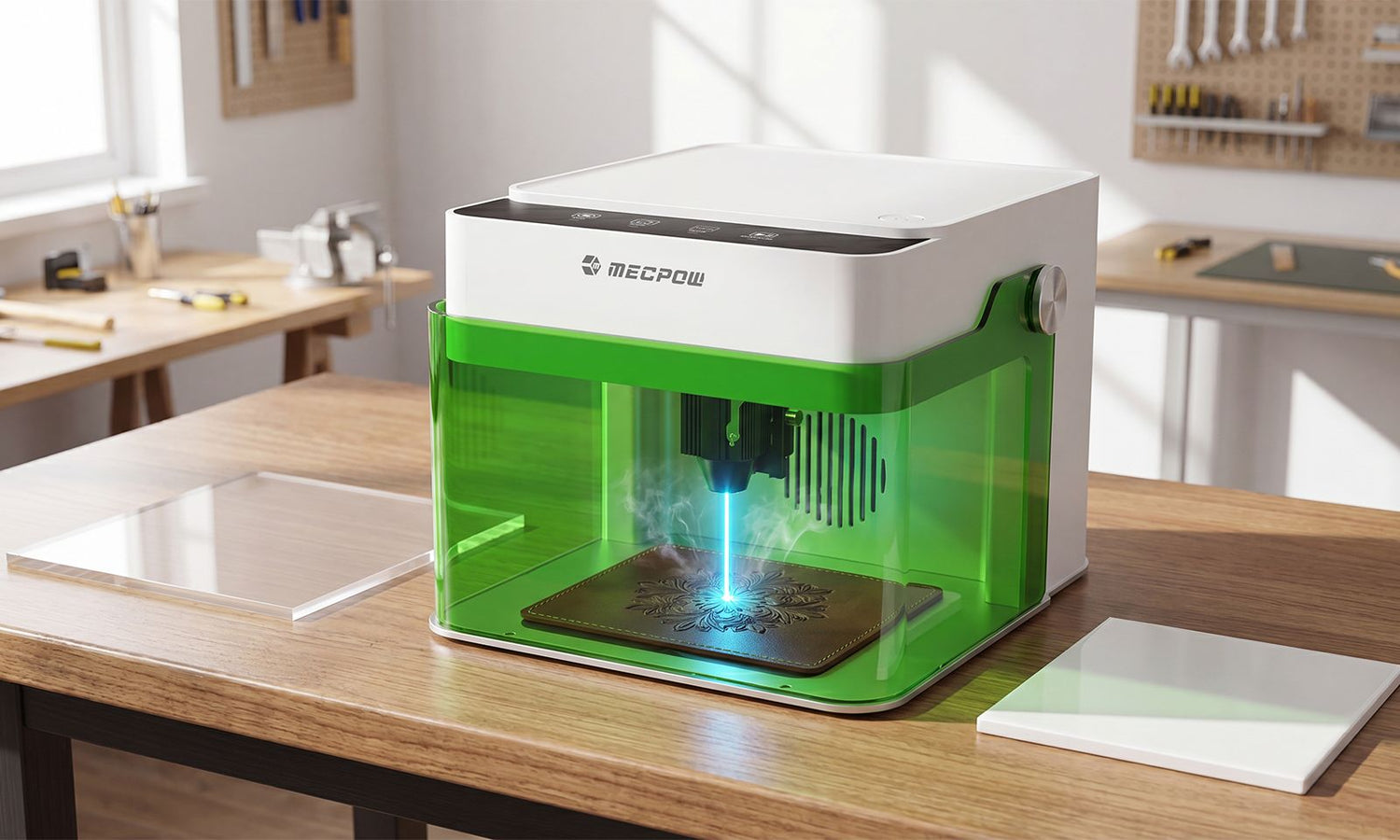
The Mecpow M1 supports 3.5W and 5W diode laser modules. Ready to operate straight out of the box, it can engrave and cut more than 300 types of materials.
This covers all the safe materials mentioned previously: wood, bamboo, leather, acrylic, cardboard, ceramic and coated metals. If you want to carry out high-quality engraving on metals, you can equip it with the optional 1.2W R1 infrared module, which extends its functionality to precious metals such as silver and gold.
FDA Class 1 Safety — Ideal for Home Use
This is where the M1 outshines most low-cost open-frame laser engravers. It holds FDA Class 1 certification and comes with a fully enclosed protective housing that blocks 99% of laser light during operation.
No Safety Goggles Needed: You can watch the engraving process safely without special eyewear.
Auto-Stop Protection: The laser power cuts off immediately once the cover is opened.
Tilt Sensor: The machine will halt automatically if knocked or tilted accidentally.
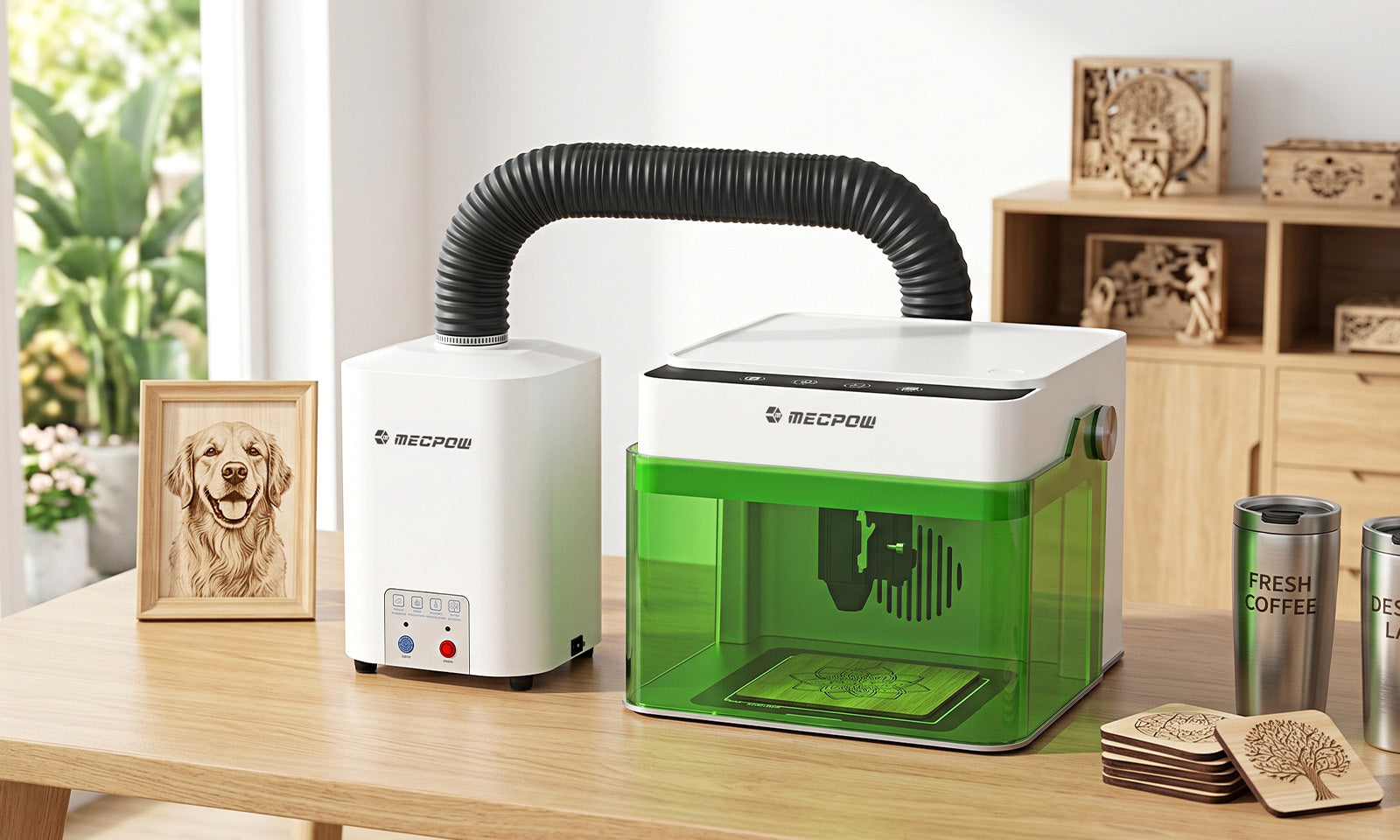
Indoor-Friendly When Paired with the P50 Fume Purifier
Let’s be honest: smoke and fumes are a big concern for anyone living in an apartment. When matched with the optional P50 fume purifier, the M1 traps up to 99.97% of smoke and odours via a HEPA and activated carbon filtration system. No external exhaust pipe is needed, and there is no requirement to vent through a window. Paired together, they form a truly smokeless and ultra-quiet workstation (operating noise below 55 dB), which fits perfectly in a home office or living room.
Beginner-Friendly & Fully Pre-Assembled
The Mecpow M1 comes fully pre-assembled. You won’t spend hours on assembly or struggle with complicated calibration. Simply plug it in, place your material, and launch your very first project.
Four Intuitive Control Buttons: Pause, Home, Frame and Start/Pause streamline operations.
Broad Software Support: Compatible with LightBurn, LaserGRBL and the MKSLaser mobile app.
Diverse Connection Options: Connect through Wi-Fi, USB or a TF card for offline operation.
Highly Expandable as Your Skills Advance
The M1 can evolve alongside your crafting skills. At a later stage, you can add the Mecpow G3 Pro/G5 rotary roller to engrave cylindrical objects such as mugs and vases.
The Smartest Laser Users Know What Not to Cut
The most vital lesson in laser crafting has nothing to do with speed or laser power — it lies in understanding your materials. Savvy creators recognise that every material reacts uniquely under laser energy, that safety must always come first, and that certain projects are simply not worth the risks.
Stick with verified safe materials such as wood, leather and acrylic, and steer clear of hazardous options including PVC and polycarbonate. In doing so, you safeguard both your health and your machine. This explains why selecting the right wood laser cutter or multi-material engraver from the outset carries such great importance.
The Mecpow M1 simplifies this creative journey like never before. Equipped with a fully enclosed, safe workspace designed for indoor use, it works with over 300 different materials and supports optional upgrades so you can expand your capabilities as you progress.
If you’re eager to start creating without making compromises, the M1 is an ideal starting point. Always bear this in mind: the wisest decision is knowing when not to hit “Start”.
FAQ
1. What materials are safest for a diode laser engraver?
The safest materials for a diode laser engraver include natural wood, bamboo, vegetable-tanned leather, cardboard, paper, cotton fabric, canvas, felt, acrylic, glazed ceramic, and coated metals such as anodized aluminum. These materials engrave cleanly while minimizing smoke, residue, and safety risks. Always confirm a material's composition before processing it.
2. Can a diode laser engraver cut metal?
Standard diode laser engravers cannot cut solid metal. However, they can engrave coated or anodized metals by removing the surface coating to create permanent markings. For engraving bare metals such as gold or silver, an infrared laser module is typically required.
3. Why is PVC dangerous for laser cutting?
PVC releases toxic chlorine gas when exposed to laser heat. This gas is hazardous to your health and can corrode your laser machine's optics and metal components. For this reason, PVC and vinyl should never be engraved or cut with any laser engraver.

Leave a comment
This site is protected by hCaptcha and the hCaptcha Privacy Policy and Terms of Service apply.